Before You Delete That File, Ask Yourself This: A Small Business Guide to Digital File Management
Before You Delete That File, Ask Yourself This
Your computer is full.
Your cloud storage is filling up.
Your desktop is covered with files you haven't opened in months.
So you start cleaning.
Click. Delete. Empty Trash.
It feels productive.
But before you permanently delete that old contract, invoice, customer document, or business record, there's one question worth asking:
"Will I ever need this again?"
That sounds simple.
But for businesses, the answer isn't always obvious.
Some files are genuinely unnecessary. Others may contain information you'll need months or years later. And certain records may have retention requirements depending on the type of document and your business circumstances.
Deleting files can create more than digital clutter relief.
It can create a problem you can't easily undo.
Why Businesses Delete Files Too Quickly
Digital storage has changed how we think about documents.
With paper, physical space creates an obvious limit.
A filing cabinet fills up.
A storage room becomes crowded.
A box takes up space.
Digital files don't have the same visual warning.
You can store thousands of files without seeing them.
Then one day, your storage becomes difficult to manage, and deleting everything that looks old seems like the easiest solution.
But old doesn't necessarily mean unnecessary.
Not Every Old File Is Worth Keeping
At the same time, keeping everything forever isn't necessarily a good document-management strategy either.
Old files can create:
Clutter
Duplicate records
Confusion
Storage costs
Security risks
Difficulty finding important information
The goal isn't:
"Never delete anything."
The goal is:
"Know what you're keeping, why you're keeping it, and when it can be safely removed."
Ask Yourself: What Is This File?
Before deleting something, identify what it actually is.
Is it:
A temporary draft?
A duplicate?
A final contract?
A financial record?
A customer document?
An employee record?
A tax-related document?
A business license?
A receipt?
A marketing file?
A personal document?
An outdated version?
A file called final-final-2.pdf tells you almost nothing.
Good file organization makes decisions like this easier.
Ask: Is This the Only Copy?
This is one of the most important questions.
Before deleting a file, determine whether another copy exists.
It may be stored in:
Cloud storage
External storage
Another computer
A document management system
An email attachment
A shared drive
But be careful:
A second copy isn't necessarily a reliable backup.
You should know where the authoritative version is and whether important files are backed up appropriately.
Ask: Could This Be Important Later?
Some files don't seem important today.
That doesn't mean they won't matter later.
Imagine deleting:
An old contract
A previous invoice
A vendor agreement
A project record
A receipt
A customer communication
Months later, you may need to answer a question about that transaction.
Without the file, you may have to reconstruct information from other sources—or discover that it cannot easily be recovered.
That's why businesses should consider the future usefulness of records before deleting them.
Ask: Is There a Retention Requirement?
This is where businesses need to be particularly careful.
Different records may have different retention requirements depending on:
Federal rules
State requirements
Industry regulations
Tax obligations
Employment requirements
Contracts
Legal matters
Company policies
There isn't one universal "keep business records for X years" rule that applies to every document.
If you're unsure whether a document must be retained, consider asking the appropriate qualified professional, such as an attorney or accountant.
When in doubt, don't permanently delete it until you've confirmed the requirement.
Ask: Is the File Subject to a Legal or Business Dispute?
If a business is involved in a lawsuit, investigation, audit, dispute, or other formal matter, deleting relevant records can create serious complications.
That includes more than obvious contracts.
Potentially relevant information can exist in:
Emails
Attachments
Customer records
Invoices
Messages
Project files
Internal documents
If you know or reasonably expect that records may be relevant to a legal matter, don't casually delete them.
Seek appropriate legal guidance about document preservation.
Ask: Does Someone Else Need Access?
A file may be unnecessary to you but important to someone else.
For example:
An accountant may need financial records.
A manager may need project documents.
A client may need a copy of an agreement.
An employee may need a business record.
A future owner may need historical information.
Before deleting shared files, consider who relies on them.
Ask: Can I Archive It Instead?
Not every file needs to remain in your active workspace.
That's where archiving can help.
Instead of keeping everything mixed together, consider separating:
Active Files
from
Archived Files
This can reduce clutter without immediately destroying potentially useful records.
An archive should still be organized, secured, and backed up appropriately.
Ask: Does the File Contain Sensitive Information?
A file can have value even if you no longer need it.
That's especially true when it contains sensitive information.
Examples include:
Names
Addresses
Financial information
Account details
Customer information
Employee information
Business records
If you decide the file should be destroyed, think about how you're destroying it.
Simply deleting a file from your computer may not be the same thing as securely disposing of every copy.
Digital Deletion Isn't Always the Same as Secure Destruction
Pressing "Delete" doesn't necessarily mean information instantly disappears from every location.
Copies may exist in:
Backups
Synchronization systems
Cloud services
Shared folders
Email
Other devices
The exact behavior depends on the systems you're using.
That's why businesses handling sensitive information should have clear policies for both retention and secure disposal.
Don't Forget the Paper Version
Digital transformation doesn't mean every document starts digitally.
You may still have paper copies of:
Contracts
Invoices
Forms
Receipts
Customer documents
Business records
If those documents are no longer required, don't simply toss them into a regular trash bin if they contain sensitive information.
Secure shredding can help reduce the risk associated with disposing of confidential paper records.
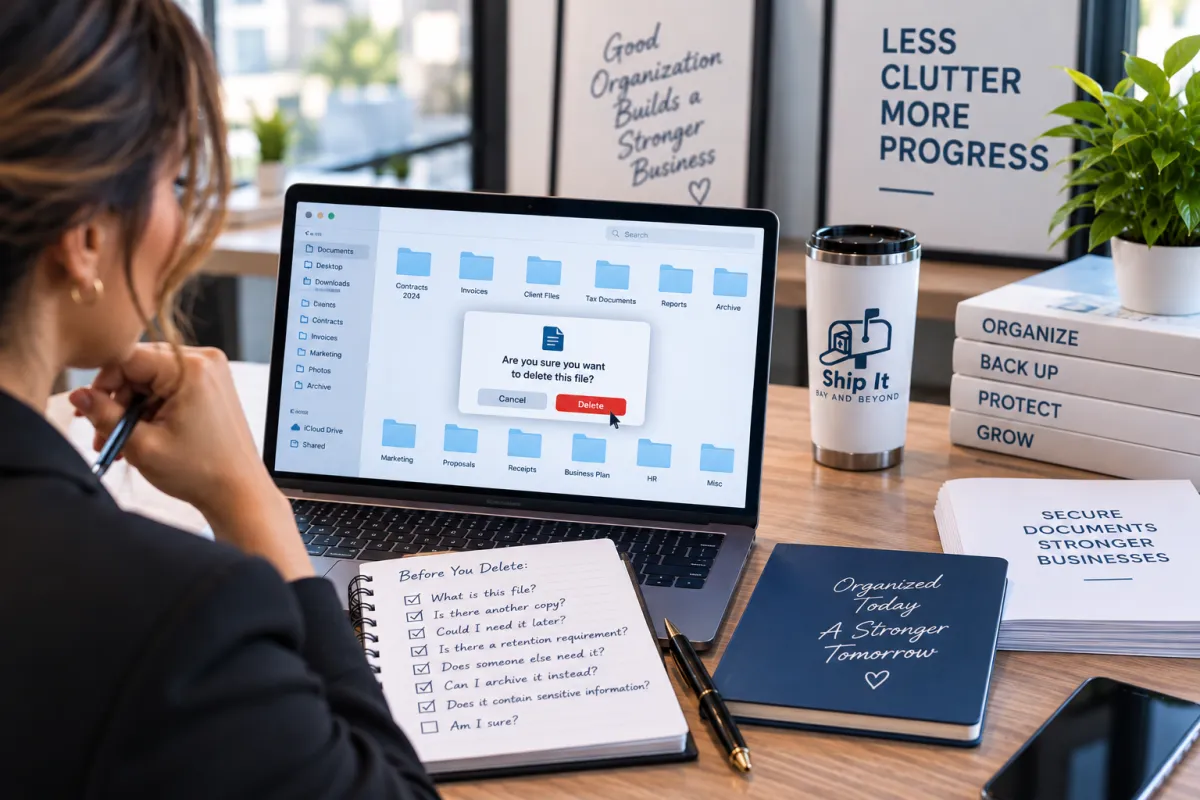
A Simple "Before You Delete" Checklist
Before permanently deleting an important business file, ask:
☐ What is this file?
Identify its purpose and contents.
☐ Is it a duplicate?
Determine whether another legitimate copy exists.
☐ Could I need it later?
Think beyond today's needs.
☐ Is there a retention requirement?
Check applicable legal, tax, regulatory, or business requirements.
☐ Is it related to a dispute or legal matter?
If so, seek appropriate guidance before deleting it.
☐ Does someone else need it?
Consider employees, customers, accountants, attorneys, and other authorized parties.
☐ Should I archive it instead?
Move it out of active storage if it may still have value.
☐ Does it contain sensitive information?
If you're disposing of it, use an appropriate secure process.
Build a Better File Organization System
The easiest way to avoid accidental deletion is to make your files easier to understand.
Consider organizing documents by:
Year → Client → Project → Document Type
or another structure that fits your business.
Use consistent file names.
For example:
Instead of:
invoiceNEW.pdf
Try:
2026-09-18_ClientName_Invoice-1042.pdf
A consistent naming system makes files easier to search, identify, archive, and review.
Don't Let Your Desktop Become Your Filing System
Your desktop should not be your permanent document-management system.
If important files are scattered across:
Desktop
Downloads
Email
Personal drives
USB drives
Cloud folders
it becomes difficult to know which version is current.
A centralized, organized system can make document management significantly easier.
Back Up Before You Clean Up
Before performing a major file cleanup, make sure important information is backed up.
This gives you an additional layer of protection if something is accidentally deleted.
A good backup strategy should account for:
Multiple copies
Different storage locations
Off-site or cloud storage where appropriate
Access controls
Recovery testing
Remember:
A backup you can't restore isn't much of a backup.
Digital Organization Is Also a Security Practice
File organization isn't just about finding documents faster.
It can also help businesses understand:
What information do we have?
Where is it stored?
Who can access it?
How long should we keep it?
When should it be securely destroyed?
Those questions are important components of responsible information management.
The Goal Isn't a Completely Empty Folder
There's a temptation during digital cleanups to measure success by how many files you've deleted.
But that's the wrong metric.
A better goal is:
Can I quickly find the information I need while keeping unnecessary information from accumulating?
A well-organized document system may contain thousands of files.
That's okay.
The objective is control, not emptiness.
How Ship It - Bay & Beyond Can Help
At Ship It - Bay & Beyond, we help businesses manage the physical side of their document workflow.
Our services include:
Document scanning
Printing
Copying
Secure document shredding
Professional packing and shipping
Private mailboxes
Virtual mailbox services
Package receiving
Notary services
Fingerprinting
Passport photos
Business formation support
Office services
If you're digitizing paper records, preparing documents for storage, printing important files, or securely disposing of documents you no longer need, having a reliable local resource can simplify the process.
Organize what you need. Protect what matters. Securely dispose of what you don't.
Proudly Serving the Tampa Bay Area
Ship It - Bay & Beyond proudly serves:
St. Petersburg
Tampa
Clearwater
Largo
Pinellas Park
Seminole
Gulfport
Kenneth City
Treasure Island
St. Pete Beach
Madeira Beach
Indian Rocks Beach
Indian Shores
Redington Beach
North Redington Beach
Redington Shores
Safety Harbor
Oldsmar
Dunedin
Palm Harbor
Tarpon Springs
Belleair
Belleair Bluffs
Lealman
Pinellas County
Hillsborough County
Surrounding communities
Whether you need professional packing & shipping, printing, a private or virtual mailbox, notary, fingerprinting, secure shredding, document scanning, copying, passport photos, business formation, or office services, Ship It - Bay & Beyond is your trusted local partner.
The Bottom Line
Deleting unnecessary files is a healthy part of digital organization.
But "old" doesn't automatically mean "safe to delete."
Before permanently removing a business document, consider what it contains, whether another copy exists, whether someone else needs it, whether it has future value, and whether any retention or legal requirements apply.
When you're certain a document no longer needs to be retained, dispose of it appropriately—especially if it contains sensitive information.
