Your Checkout Can Lose the Sale Before Your Product Does | Small Business
Your Checkout Can Lose the Sale Before Your Product Does
Introduction
You've done everything right.
You created an amazing product, posted eye-catching photos, shared engaging social media content, and finally got a customer interested enough to click that Add to Cart button.
Then something happens.
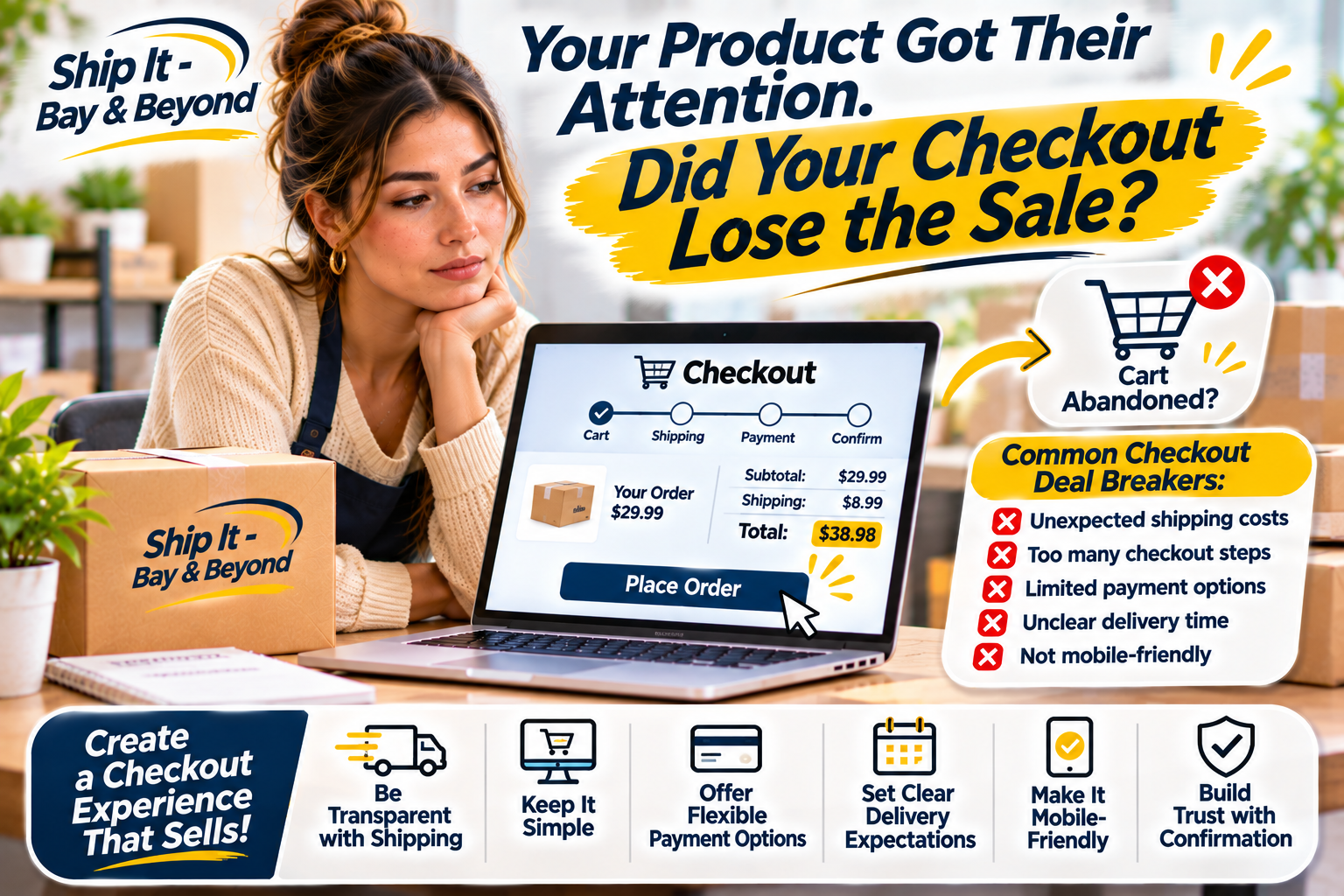
They reach checkout, see unexpected shipping fees, encounter too many steps, or struggle to find a convenient payment option.
And just like that… they're gone.
Here's something every online seller should remember: Your product may attract the customer, but your checkout experience can determine whether they actually buy it.
In today's competitive online marketplace, getting customers interested is only half the battle. Making it easy for them to complete their purchase is just as important.
Let's explore the common checkout mistakes that can cost businesses sales and what you can do to create a smoother buying experience.
1. Unexpected Shipping Costs Can Stop a Purchase
Imagine finding the perfect product at a great price, only to reach checkout and discover that shipping costs almost as much as the item itself.
Would you still buy it?
Unexpected fees are one of the common reasons shoppers abandon their online carts.
Customers want to understand the total cost before committing to a purchase. When additional charges appear at the last minute, they may reconsider whether the purchase is worth it.
How businesses can improve:
Display shipping estimates as early as possible.
Explain additional fees clearly.
Offer different shipping options when available.
Consider flat-rate shipping if it works with your profit margins.
Set realistic expectations for delivery costs.
Transparency builds confidence. Customers are more likely to complete a purchase when they know exactly what they're paying for.
2. Too Many Checkout Steps Create Unnecessary Friction
Customers don't want to complete a complicated process just to purchase one item.
If your checkout requires too much information, unnecessary account creation, or multiple confusing steps, shoppers may decide it's not worth the effort.
A smoother checkout should make purchasing feel simple.
Consider these improvements:
Allow guest checkout when possible.
Request only essential customer information.
Use clear instructions and labels.
Avoid unnecessary forms.
Make it easy to review the order before payment.
Provide a clear confirmation after purchase.
Remember, the fewer unnecessary obstacles customers encounter, the easier it is for them to complete their order.
3. Limited Payment Options Can Cost You Customers
Different shoppers have different payment preferences.
Some prefer credit or debit cards. Others may use digital wallets or alternative payment methods supported by the online store.
If customers cannot find a payment option they trust or regularly use, they may leave without purchasing.
Businesses should consider offering a reasonable selection of secure payment methods that fit their customers and platform.
Also, make sure payment instructions are easy to understand and that customers know when their transaction has been completed.
Convenience at checkout can make a meaningful difference.
4. Customers Want to Know When Their Orders Will Arrive
Customers don't just want to know how much an item costs. They also want to know when they can expect it.
A checkout page that provides little or no delivery information can create uncertainty.
For example, someone purchasing a birthday gift may need it by a specific date. If delivery expectations aren't clear, they may choose another seller.
Make your shipping information easy to find.
Include:
Estimated processing time.
Available shipping methods.
Estimated delivery windows.
Shipping restrictions, if applicable.
Tracking information availability.
Instructions for contacting customer support.
Avoid guaranteeing arrival dates unless your shipping arrangements genuinely support that promise.
Clear expectations help customers make informed decisions.
5. A Complicated Checkout Can Make Customers Question Your Business
Trust matters when people shop online.
Customers are sharing personal information, payment details, and delivery addresses. If your checkout page looks outdated, confusing, or inconsistent with your website, they may hesitate.
Small details can influence how professional and trustworthy your business appears.
Check that your checkout includes:
Consistent branding.
Clear product descriptions.
Accurate pricing.
Secure payment processing.
Accessible customer support information.
Clear return and refund policies.
Also, make sure your website works properly on mobile devices. Many customers browse and shop using their phones, so a checkout page that is difficult to navigate on a small screen can create unnecessary frustration.
6. A Poor Mobile Experience Can Lose the Sale
Think about how often you shop using your phone.
Your customers are doing the same thing.
If buttons are difficult to tap, forms are too small, images take too long to load, or the checkout page requires excessive scrolling, shoppers may give up.
A mobile-friendly checkout should:
Load quickly.
Display properly on different screen sizes.
Have easy-to-read text.
Use simple forms.
Make payment buttons easy to find.
Provide clear confirmation messages.
Test your checkout on an actual smartphone instead of assuming that it works just because it looks good on a desktop.
7. No Clear Confirmation Leaves Customers Guessing
Imagine clicking the payment button, seeing the page refresh, and not knowing whether your order went through.
Did the payment work? Was the order received? Should you try again?
That uncertainty can frustrate customers and create unnecessary support requests.
After a successful purchase, provide a clear confirmation page and, when supported by your platform, an order confirmation email or message.
Include useful details such as:
Order number.
Purchased items.
Total amount paid.
Shipping information.
Estimated processing or delivery timeline.
Customer support contact information.
A simple confirmation can turn a completed purchase into a more reassuring customer experience.
8. Shipping Should Be Part of the Checkout Strategy, Not an Afterthought
Here's where many small businesses miss an important opportunity.
They spend time improving their products, website, and marketing campaigns but don't give enough attention to what happens after someone clicks the purchase button.
Shipping affects the customer's total cost, delivery expectations, and overall satisfaction.
Before launching your next promotion, review your shipping process.
Ask yourself:
Do I know the average cost of shipping my products?
Do I have appropriate packaging materials?
Can I prepare orders efficiently?
Do customers receive tracking information when available?
Are my shipping policies easy to understand?
Do I have a plan for delays, damaged packages, or returns?
A well-planned shipping process supports a better customer experience from checkout to delivery.
9. Small Checkout Improvements Can Make a Big Difference
You don't necessarily need to rebuild your entire online store to improve the buying experience.
Sometimes, a few small adjustments can remove the obstacles that prevent customers from completing their orders.
Your Checkout Improvement Checklist
Display shipping costs or estimates early.
Make the checkout process simple.
Offer convenient payment options.
Clearly explain delivery timelines.
Make the checkout mobile-friendly.
Display accurate product and pricing information.
Include accessible customer support details.
Provide order confirmation after successful purchases.
Review your return and refund policies.
Test the entire checkout process regularly.
Pay attention to where customers stop during checkout. If shoppers repeatedly abandon their carts at the same step, investigate what might be causing the problem.
Small changes backed by customer feedback and checkout data can help improve the purchasing experience.
How Ship It - Bay & Beyond Can Help
At Ship It - Bay & Beyond, we know that running a successful business involves more than making a sale. From preparing customer orders to handling everyday business documents, the details behind the scenes matter.
Whether you're an online seller, a small business owner, or an entrepreneur preparing to grow, having convenient local business services can help simplify your day-to-day operations.
We offer services including:
Packing & Shipping: Shipping options through UPS, FedEx, USPS, and DHL.
Packaging Supplies: Materials to help prepare and protect your packages.
Printing Services: Business cards, promotional materials, and everyday document printing.
Private Mailbox Rentals: Convenient mailing address options for eligible personal and business needs.
Package Receiving: Support for receiving packages.
Copying & Scanning: Document services for everyday business needs.
From preparing shipments to printing important business materials, we're here to help you take care of the details that keep your business moving.
Because the customer experience doesn't end when someone clicks Buy Now. It continues all the way to delivery.
Proudly Serving the Tampa Bay Area
Ship It - Bay & Beyond is proud to support individuals, entrepreneurs, online sellers, and businesses throughout St. Petersburg and the greater Tampa Bay Area.
We proudly serve St. Petersburg, Tampa, Clearwater, Largo, Pinellas Park, Seminole, Gulfport, Kenneth City, Treasure Island, St. Pete Beach, Madeira Beach, Indian Rocks Beach, Indian Shores, Redington Beach, North Redington Beach, Redington Shores, Safety Harbor, Oldsmar, Dunedin, Palm Harbor, Tarpon Springs, Belleair, Belleair Bluffs, Lealman, Pinellas County, Hillsborough County, and surrounding communities.
Whether you need professional packing and shipping, printing, a private mailbox, virtual mailbox options, notary services, fingerprinting, secure shredding, document scanning, copying, passport photos, business formation-related services, moving supplies, or other office services, Ship It - Bay & Beyond is your local partner for everyday business needs.
The Bottom Line
You can have the best product, the most creative marketing campaign, and an audience ready to buy—but if your checkout experience creates too many obstacles, you could lose the sale before the customer ever receives your product.
Make purchasing simple. Be transparent about costs. Offer convenient options. Set clear delivery expectations.
And most importantly, remember that every step of the buying journey matters.
Don't let a complicated checkout be the reason customers walk away from a product they already wanted.
Let's Talk!
Have you ever abandoned an online shopping cart because of unexpected shipping fees, complicated checkout steps, or limited payment options?
What made you change your mind? Share your experience in the comments!
