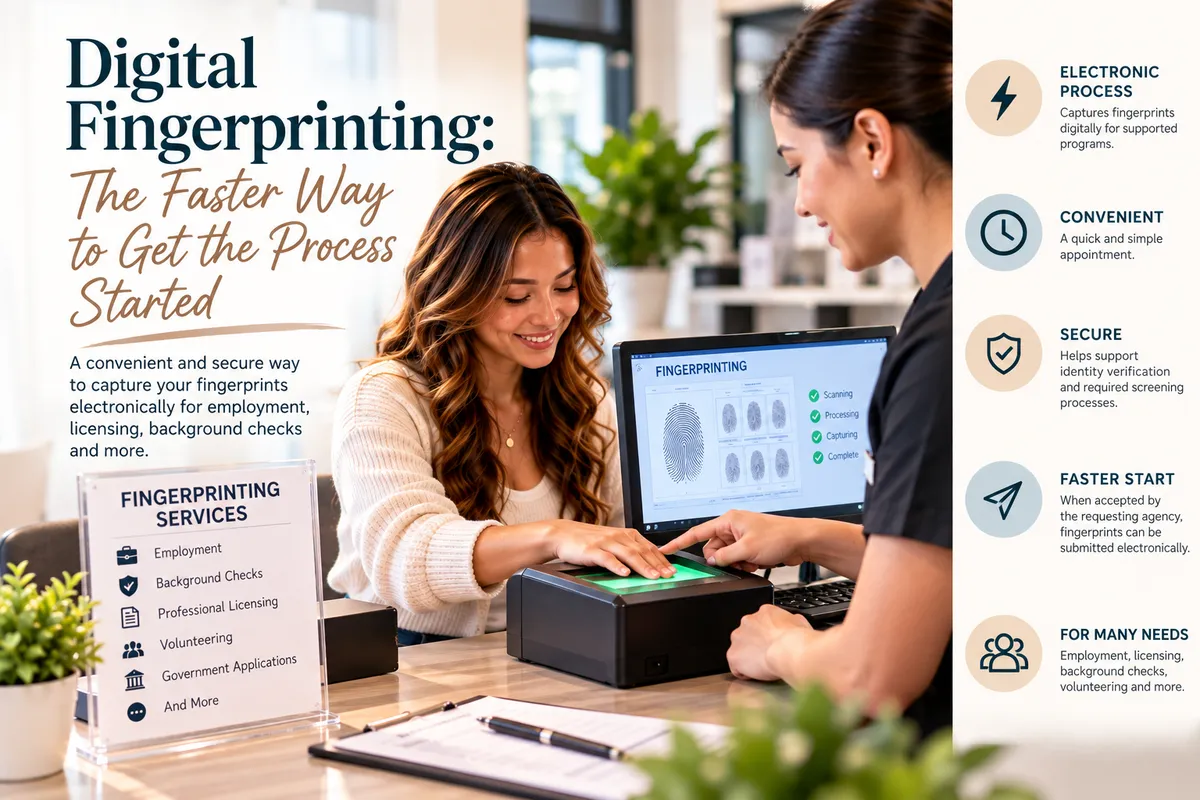
Digital Fingerprinting: A Faster Way to Start Your Background Check
Digital Fingerprinting: The Faster Way to Get the Process Started
Introduction
Starting a new job, applying for a professional license, or completing a background check can involve several steps. And when fingerprinting is on your checklist, you want to know how to get it done correctly without unnecessary delays.
That's where digital fingerprinting can help.
Unlike traditional ink-based fingerprinting, digital fingerprinting uses electronic equipment to capture fingerprint impressions. When the requesting organization accepts electronic submission, the prints can be transmitted through the designated system without requiring a physical fingerprint card.
For applicants, this can make the collection and submission process more convenient.
But there's one important detail to remember: digital fingerprinting can help get the process started, but it doesn't guarantee immediate background-check results or faster approval. Processing times depend on the agency, application type, and submission requirements.
Let's explore how digital fingerprinting works, who may need it, and how to prepare for your appointment.
What Is Digital Fingerprinting?
Digital fingerprinting is a method of capturing fingerprints electronically using a specialized scanner.
You may also hear the term Live Scan fingerprinting, which commonly refers to electronic fingerprint capture and, in some systems, electronic submission to an authorized agency.
During the appointment, a technician guides you through placing your fingers on the scanner so the equipment can capture the required impressions.
Depending on the program, the fingerprints may then be submitted electronically or processed according to the requesting organization's instructions.
Unlike ink fingerprinting, which creates impressions on a physical card, digital capture produces electronic fingerprint data.
Why does this matter?
Electronic capture can help reduce the handling of paper fingerprint cards and make it easier to transmit prints through systems designed to accept them.
However, not every application accepts the same fingerprinting method. Always confirm the required process before scheduling.
How Does Digital Fingerprinting Work?
Although procedures vary by provider and program, a typical appointment may involve the following steps.
Step 1: Confirm the requirements
Check the instructions from your employer, licensing board, government agency, or other requesting organization. You may need specific forms, agency information, or an identifying code.
Step 2: Verify your identity
Bring acceptable identification and any required paperwork. The provider may verify your information before collecting fingerprints.
Step 3: Capture your fingerprints
The technician guides you through placing your fingers on the scanner. If an impression isn't clear enough, another attempt may be needed.
Step 4: Submit the fingerprints as required
If your application uses an electronic submission system, the fingerprints may be transmitted through the designated channel. Other programs may have different procedures.
Step 5: Follow up with the requesting organization
Keep your receipt or confirmation, if provided. Contact the agency or employer for questions about processing, results, or application status.
Who May Need Digital Fingerprinting?
Digital fingerprinting is used in a variety of application and screening processes. Whether you need it depends on the organization and the purpose of your application.
Common examples include:
Employment and Background Checks
Some employers require fingerprint-based background checks for specific positions, particularly when required by law or organizational policy.
Professional Licensing
Certain licensing boards require fingerprinting as part of an application or renewal process.
Healthcare and Education
Some healthcare, childcare, and education-related roles have background-screening requirements that may include fingerprinting.
Government and Regulatory Applications
Certain government positions, permits, and regulated activities may require fingerprint-based identification or screening.
Volunteer Opportunities
Some organizations require fingerprinting for volunteers who work with children, vulnerable populations, or in other designated roles.
Important: Requirements vary. Before booking, confirm whether the requesting organization requires electronic fingerprints, ink fingerprints, a particular agency submission, or another approved method.
Why Choose Digital Fingerprinting?
Electronic fingerprint capture can offer several practical advantages when supported by the required application process.
1. Electronic Capture
A digital scanner captures fingerprint impressions electronically, eliminating the need to create a physical ink card for programs that accept electronic capture.
2. A Guided Appointment
A trained technician can explain how to position your fingers and help identify when another capture attempt is needed.
3. Convenient Submission
When the requesting organization supports electronic submission, fingerprints can be transmitted through the designated system rather than relying on a physical card.
4. Less Paper Handling
Electronic processes can reduce the need to handle, transport, or mail physical fingerprint cards.
5. A Practical First Step
Completing your fingerprinting appointment can help you move forward with an employment, licensing, or background-check application.
Keep in mind that these benefits depend on the system being used. Electronic fingerprinting does not automatically mean every application will be processed faster.
Digital Fingerprinting vs. Ink Fingerprinting
What's the difference between these two methods?
Feature | Digital fingerprinting | Ink fingerprinting |
|---|---|---|
Capture method | Electronic scanner | Ink applied to fingers or a fingerprinting surface |
Output | Electronic fingerprint data | Physical fingerprint card |
Submission | Electronic when supported by the program | Often submitted using a physical card |
Best suited for | Applications that accept electronic capture | Applications that specifically require an ink card |
Requirements | Depends on the receiving agency | Depends on the receiving agency |
Neither method is universally accepted for every application.
The right choice is the method your requesting organization requires—not simply the newest or most convenient option.
How Long Does Digital Fingerprinting Take?
The fingerprint capture itself may be relatively quick, but the total appointment time depends on several factors:
Identification verification
Required paperwork
The type of fingerprinting request
Fingerprint image quality
Any corrections needed
Submission procedures
Background-check processing is a separate stage and may take additional time.
If you have a job-start date, licensing deadline, or other time-sensitive requirement, schedule your appointment early and ask the requesting organization about expected processing times.
What Should You Bring to Your Appointment?
Preparation can help prevent avoidable delays.
Before visiting a fingerprinting provider, confirm whether you need:
A valid, acceptable government-issued photo ID
Fingerprinting authorization forms
An ORI or other agency identifier, when applicable
An appointment confirmation
Required payment
Additional documentation specified by the requesting organization
Requirements can differ by application, so don't assume that another person's checklist will work for yours.
A quick preparation tip
Keep your identification and paperwork together before leaving home. If the instructions are unclear, contact the requesting organization or provider before your appointment.
What If Your Fingerprints Cannot Be Captured Clearly?
Fingerprint quality can be affected by dry skin, moisture, dirt, minor injuries, skin irritation, or natural differences in fingerprint characteristics.
If the scanner doesn't capture a clear impression, the technician may ask you to reposition your fingers or try again.
If acceptable prints still cannot be obtained, the requesting agency may have additional procedures.
If your fingertips are injured or your fingerprints are difficult to capture, let the technician know. Don't assume your application is automatically disqualified.
Does Digital Fingerprinting Guarantee Faster Background-Check Results?
No.
This is one of the most important things applicants should understand.
Digital fingerprinting can make capture and submission more convenient when the receiving system supports it. However, the overall processing time depends on the agency, the type of background check, the completeness of the application, and whether additional review is necessary.
A completed fingerprinting appointment does not necessarily mean the background check is complete.
For updates, contact the organization responsible for processing your application.
Common Mistakes to Avoid
Before your appointment, watch out for these common issues:
Choosing the wrong service: Not every provider handles every fingerprinting program.
Bringing the wrong identification: Confirm which documents are accepted.
Forgetting required forms: Missing agency information can delay submission.
Assuming results are immediate: Fingerprinting and background-check processing are separate steps.
Waiting until the deadline: Allow time for the appointment and subsequent processing.
Failing to keep confirmation details: Save any receipt or transaction information provided.
A few minutes of preparation can make the process easier to manage.
How Ship It - Bay & Beyond Can Help
At Ship It - Bay & Beyond, we offer fingerprinting services for qualifying employment, licensing, background-check, and other application needs.
We also provide practical services that can help you prepare supporting documents in one convenient location.
Our services include:
Fingerprinting
Notary services
Passport photos
Printing and copying
Document scanning
Secure document shredding
Private mailboxes
Virtual mailbox services
Package receiving
Professional packing and shipping
Business formation support
U-Haul and moving supplies
Additional office services
Whether you're starting a new job, completing a professional licensing application, or preparing documents for an important process, our team can help with the services we offer.
Before visiting for fingerprinting, confirm that we can accommodate your specific fingerprinting program and bring the documentation required by the requesting organization.
Visit us at:
Ship It - Bay & Beyond5420 Central Ave, St. Petersburg, FL 33707Phone: 727-344-9052
Proudly Serving the Tampa Bay Area
Ship It - Bay & Beyond proudly serves:
St. Petersburg
Tampa
Clearwater
Largo
Pinellas Park
Seminole
Gulfport
Kenneth City
Treasure Island
St. Pete Beach
Madeira Beach
Indian Rocks Beach
Indian Shores
Redington Beach
North Redington Beach
Redington Shores
Safety Harbor
Oldsmar
Dunedin
Palm Harbor
Tarpon Springs
Belleair
Belleair Bluffs
Lealman
Pinellas County
Hillsborough County
Surrounding communities
Whether you need fingerprinting, notary services, passport photos, printing, document scanning, secure shredding, private or virtual mailbox services, professional packing and shipping, business formation support, or other office services, Ship It - Bay & Beyond is your local resource for everyday business and document needs.
The Bottom Line
Digital fingerprinting offers a convenient way to capture fingerprints electronically for applications that support the process.
It can reduce paper handling and help applicants complete an important step in employment screening, professional licensing, and other background-check requirements.
But the key to avoiding delays is preparation.
Confirm the required fingerprinting method, bring the correct identification and paperwork, and allow time for the receiving organization to process your application.
