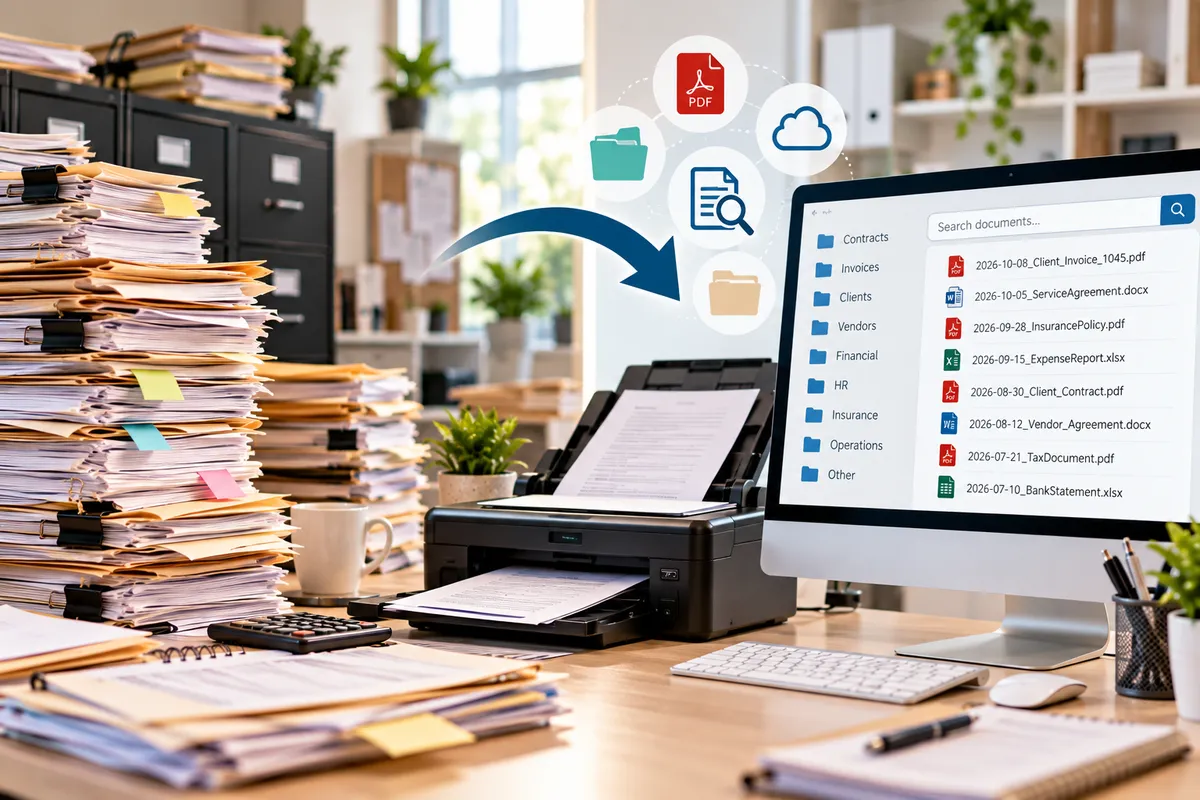
From Paper Piles to Searchable Files: How Document Scanning Can Simplify Business
From Paper Piles to Searchable Files: Why Document Scanning Matters
Introduction
Paper has a way of multiplying.
One invoice becomes a stack.
One contract becomes a folder.
One folder becomes a filing cabinet.
Then another filing cabinet appears.
Before long, your office may contain years of information stored in paper form—documents you rarely look at but still need to keep accessible.
The problem isn't simply the amount of paper.
It's finding the one document you actually need.
Imagine being able to search for a document instead of digging through a filing cabinet.
That's one of the biggest advantages of moving appropriate paper records into organized digital files.
The goal isn't to get rid of every piece of paper. It's to make important information easier to manage, find, protect, and use.
Why Paper Files Become Difficult to Manage
Paper records aren't inherently bad.
They can be useful for:
Original documents
Signed agreements
Physical records
Forms
Receipts
Printed correspondence
But paper has limitations.
It takes physical space.
It can be misplaced.
It can become damaged.
And searching through a large collection can take considerable time.
A document that takes 10 seconds to open digitally might take several minutes to locate physically.
Multiply that across hundreds of documents, and the difference becomes significant.
What Does Document Scanning Actually Do?
Document scanning converts physical paperwork into digital files.
A scanner captures the information on the page and creates a digital version that can be stored electronically.
Depending on the scanning process and software used, documents may be saved as formats such as:
PDF
JPEG
TIFF
Other digital formats
The appropriate format depends on how the document will be used.
For many businesses, PDF files are particularly practical for documents that need to be viewed, stored, or shared.
Scanned Doesn't Always Mean Searchable
This is an important distinction.
A basic scan can create an image of a document.
But an image isn't necessarily searchable.
For example, you might scan a 20-page contract and receive a digital file containing 20 page images.
You can see the words.
But your computer may not recognize those words as text.
That's where Optical Character Recognition (OCR) can become useful.
OCR can convert text within scanned images into machine-readable text, depending on the quality of the scan and the software used.
A digital document and a searchable digital document aren't always the same thing.
Why Searchable Files Matter
Imagine you're looking for a specific invoice.
With paper files, you may need to:
Find the correct filing cabinet.
Locate the folder.
Search through the documents.
Check dates.
Find the invoice.
With well-organized searchable digital files, you may be able to search by:
Client name
Invoice number
Date
Keyword
Document title
Instead of searching through paper, you're searching through information.
Digital Doesn't Mean Disorganized
There's a common misconception that scanning automatically solves document organization.
It doesn't.
You can turn a paper pile into a digital pile.
If you scan everything into one folder named "Documents," you've simply moved the clutter.
The real value comes from creating a structure.
For example:
Business Documents
→ Finance
→ Contracts
→ Customers
→ Vendors
→ Insurance
→ Licenses
→ Operations
The exact structure should reflect how your business works.
File Naming Makes a Huge Difference
Imagine two files:
scan001.pdf
and
2026-10-08_ClientName_ServiceAgreement.pdf
Which one would be easier to find later?
A consistent naming system can make digital records much easier to manage.
Consider including:
Date
Document type
Customer or vendor
Reference number
For example:
2026-10-08_ABCCompany_Invoice_1045.pdf
The exact naming convention is less important than consistency.
Think About the Future You
When naming files, don't ask:
"Will I understand this today?"
Ask:
"Will I understand this six months from now?"
A filename that seems obvious today may become confusing later.
Clear naming conventions can save time when you return to old records.
They can also make it easier for another employee to locate information.
Digital Files Can Reduce Physical Storage
Paper requires physical space.
Digital files require digital storage.
That doesn't mean physical storage disappears completely.
Some original documents may need to be retained.
But converting appropriate records to digital formats can reduce the amount of paper that needs to be accessed regularly.
That can free up:
Filing cabinets
Shelving
Office space
Storage boxes
Desk space
Less paper can mean more usable workspace.
Scanning Can Help Remote Teams
Remote work creates an interesting challenge for paper-based businesses.
If an important document is sitting in a filing cabinet at the office, a remote employee may not be able to access it easily.
Digital documents can potentially be accessed by authorized team members from different locations.
This can make collaboration easier.
But access should still be managed carefully, especially when documents contain confidential information.
Digital Documents Can Be Easier to Share
Imagine needing to send a 15-page document to a customer or professional advisor.
With paper, you may need to:
Copy it
Scan it
Mail it
Hand-deliver it
With a properly stored digital document, sharing can often be much simpler.
Depending on the situation, the file can be shared electronically with the appropriate recipient.
This can reduce unnecessary handling and delays.
Don't Forget About Document Security
Digital storage introduces its own security considerations.
Important files may contain:
Personal information
Financial information
Customer records
Contracts
Business information
Businesses should consider appropriate controls for protecting digital documents.
Depending on the information, this may include:
Strong passwords
Multi-factor authentication
Access controls
Secure storage
Encryption
Regular backups
The goal isn't simply to digitize documents.
It's to manage them responsibly.
Backups Are Essential
A scanned document isn't protected simply because it's digital.
If the only copy exists on one computer and that computer fails, the document could still be lost.
Important digital records should be backed up using an appropriate strategy.
Think:
Scan → Organize → Store → Back Up
And periodically verify that important files can actually be recovered.
Don't Scan Everything Automatically
Digitization doesn't mean keeping every piece of paper forever.
Before scanning large quantities of documents, consider:
Is this document still needed?
Does it have legal or operational value?
Is there a retention requirement?
Is the original required?
Does the digital copy meet the intended purpose?
For tax, legal, regulatory, or contractual records, requirements can vary.
When you're unsure, consult the appropriate qualified professional before destroying originals.
What About Sensitive Paper Documents?
Once a document has been scanned and appropriately stored, you may eventually decide that the physical copy no longer needs to be retained.
That's when secure disposal becomes important.
Confidential documents may contain information that shouldn't simply go into ordinary trash.
Secure document shredding can be part of a responsible information-management process.
Digitization and secure disposal often work together—but only after retention needs have been considered.
Document Scanning Can Support Business Continuity
Imagine your office becomes inaccessible.
Maybe there's:
Water damage
A fire
Severe weather
Construction
A temporary building closure
If important information exists only in physical files inside that location, accessing it may become difficult.
Appropriately digitized and backed-up records can provide another way to access critical information.
This doesn't eliminate the need for disaster planning.
But it can be an important component of business continuity.
Start Small
You don't have to digitize an entire filing room in one weekend.
Start with a category.
For example:
Customer contracts
Then:
Sort the documents.
Identify what should be retained.
Scan the appropriate records.
Use OCR when useful.
Apply consistent filenames.
Organize the files.
Back them up.
Securely dispose of unnecessary paper when appropriate.
Once the process works, expand it to another category.
Prioritize High-Value Documents
If you're overwhelmed by the amount of paper, don't start randomly.
Start with documents that are:
Frequently accessed
Difficult to replace
Important to operations
Needed by multiple people
Vulnerable to physical damage
This creates immediate value without requiring you to digitize everything at once.
Create a Digital Filing Structure Before You Scan
This is an easy step to overlook.
Before scanning hundreds of documents, decide where they will go.
For example:
2026 Business Records
→ Finance
→ Customers
→ Vendors
→ Contracts
→ Insurance
→ Operations
Then establish naming rules.
This prevents the scanning project from becoming another organizational problem.
Don't Forget Paper You Receive in the Future
Digitizing your current filing cabinets won't solve the problem if new paper keeps accumulating.
Create a workflow for incoming documents.
For example:
Receive → Review → Scan if appropriate → Organize → Route → Retain or securely dispose
That way, your digital system becomes part of everyday operations rather than a one-time cleanup project.
A Paper-to-Digital Checklist
Before starting a scanning project, consider:
✓ What documents need to be digitized?
✓ Which records need to be retained?
✓ Which originals must be kept?
✓ What file format should be used?
✓ Do documents need OCR/searchability?
✓ How should files be named?
✓ Where will they be stored?
✓ Who should have access?
✓ How will files be backed up?
✓ How will unnecessary originals be securely disposed of?
A little planning can make the transition much easier.
When Professional Document Scanning Makes Sense
Scanning a few pages at home is easy.
Scanning thousands of business documents is another story.
Professional scanning services may make sense when:
You have a large volume of paperwork
You don't have appropriate scanning equipment
You need consistent file quality
You don't have time to scan documents yourself
You need help handling a document backlog
You want to reduce physical storage
Professional support can turn a large administrative project into a more manageable process.
How Ship It - Bay & Beyond Can Help
At Ship It - Bay & Beyond, we help individuals and businesses move important paperwork from physical form into organized digital files through document scanning services.
We also offer:
Printing
Copying
Secure document shredding
Private mailboxes
Virtual mailbox services
Package receiving
Professional packing and shipping
Notary services
Fingerprinting
Passport photos
Business formation support
U-Haul
Moving supplies
Office services
If you're dealing with overflowing filing cabinets or a growing paper backlog, document scanning can be one step toward creating a more organized and accessible information system.
Less time searching. Less physical clutter. More control over your information.
Proudly Serving the Tampa Bay Area
Ship It - Bay & Beyond proudly serves:
St. Petersburg
Tampa
Clearwater
Largo
Pinellas Park
Seminole
Gulfport
Kenneth City
Treasure Island
St. Pete Beach
Madeira Beach
Indian Rocks Beach
Indian Shores
Redington Beach
North Redington Beach
Redington Shores
Safety Harbor
Oldsmar
Dunedin
Palm Harbor
Tarpon Springs
Belleair
Belleair Bluffs
Lealman
Pinellas County
Hillsborough County
Surrounding communities
Whether you need professional packing & shipping, printing, a private or virtual mailbox, notary, fingerprinting, secure shredding, document scanning, copying, passport photos, business formation, U-Haul, moving supplies, or other office services, Ship It - Bay & Beyond is your trusted local partner.
The Bottom Line
Paper isn't going away completely.
But your business doesn't have to depend on filing cabinets for everything.
By thoughtfully converting appropriate paper records into organized, searchable digital files, you can make information easier to find, share, back up, and manage.
The process isn't simply:
Paper → Scan
It's:
Paper → Digitize → Organize → Search → Protect → Back Up
That's what turns a paper pile into a useful information system.
