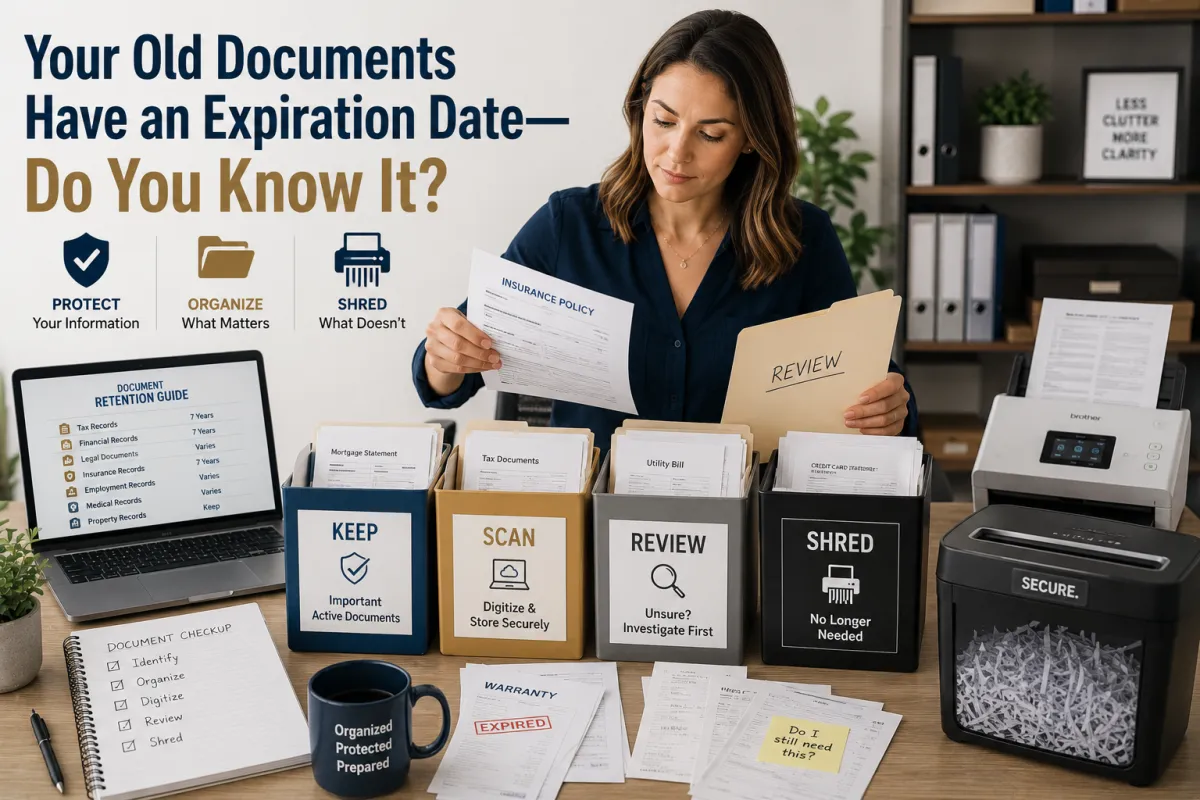
Your Old Documents Have an Expiration Date—Do You Know It?
Your Old Documents Have an Expiration Date—Do You Know It?
Have you ever opened a drawer and found a receipt from five years ago?
Or discovered an old insurance policy, outdated bank statement, expired warranty, or stack of business paperwork you haven't looked at in years?
You might immediately think:
"Can I throw this away?"
That's where things get complicated.
Documents don't necessarily have a literal expiration date. Instead, many have a retention period—a period of time when keeping the record may be useful or required.
And once that period has passed, keeping every piece of paper forever can create another problem:
More paperwork means more information that could potentially fall into the wrong hands.
So how do you know what to keep, what to digitize, and what can eventually be securely destroyed?
Let's break it down.
What Does "Document Expiration" Actually Mean?
When people talk about documents having an "expiration date," they're usually talking about how long the document should be retained.
The appropriate retention period can depend on:
The type of document
Legal requirements
Tax requirements
Business regulations
Insurance requirements
Warranty periods
Whether the document is still active
Whether it supports another record
Your personal circumstances
So there isn't one universal rule saying:
"Keep every document for exactly X years."
Different records serve different purposes.
Why Keeping Everything Isn't Always a Good Idea
It may seem safer to keep every document forever.
But consider what old paperwork can contain:
Full names
Addresses
Account information
Financial information
Medical information
Customer information
Business details
Signatures
Tax information
Shipping labels
The more unnecessary sensitive information you keep, the more information you have to organize and protect.
Keeping less can sometimes mean protecting better.
The key is knowing what you can safely dispose of.
1. Start by Identifying What the Document Is
Before deciding whether to keep or shred something, identify it.
Is it:
A bank statement?
A tax record?
An insurance document?
A receipt?
A contract?
A warranty?
A utility bill?
A business record?
A medical record?
A legal document?
An old shipping label?
You can't determine an appropriate retention strategy if you don't know what you're looking at.
2. Not All Documents Should Be Treated the Same
This is one of the biggest mistakes people make.
A five-year-old restaurant receipt isn't necessarily treated the same way as a five-year-old property document.
A canceled utility bill isn't the same as a business contract.
An expired warranty isn't the same as an original legal document.
Document retention should be based on purpose—not simply age.
Before destroying something important, consider whether it could still be needed for legal, financial, tax, insurance, identification, or other purposes.
3. Some Documents May Need to Be Kept for Legal or Tax Reasons
Certain records may need to be retained for specific periods based on applicable laws, regulations, or circumstances.
This can include certain:
Tax records
Business records
Employment records
Financial documents
Insurance records
Property records
Legal documents
The correct retention period can vary.
For tax and legal matters, don't rely on a generic internet checklist if the consequences of getting it wrong could be significant.
When in doubt, ask the appropriate tax, legal, financial, or regulatory professional.
4. Some Documents Are Better Kept Permanently
There are documents where "I'll just keep it for a few years" may not be appropriate.
Depending on your circumstances, examples may include certain:
Birth records
Marriage records
Divorce records
Adoption records
Citizenship or immigration documents
Property records
Estate documents
Important legal records
Certificates
Original identification-related documents
The exact documents you should retain depend on your personal situation.
Never automatically shred an original simply because you've scanned it.
A digital copy may not always have the same legal or practical value as the original.
5. Expired Doesn't Always Mean Useless
Consider an old insurance policy.
The policy itself may no longer be active.
But could you need evidence of coverage from a previous period?
Possibly.
The same principle can apply to other records.
Before shredding an old document, ask:
"Could this document prove something about the past?"
If the answer could be yes, investigate before disposing of it.
6. Businesses Have Even More Records to Manage
For a business, document retention can become complicated quickly.
Businesses may accumulate:
Invoices
Receipts
Contracts
Employee records
Customer records
Vendor records
Tax documents
Financial statements
Insurance documents
Shipping records
Internal paperwork
Keeping everything indefinitely can create clutter and unnecessary data exposure.
That's why businesses should consider creating a document retention policy.
What Is a Document Retention Policy?
A document retention policy is a system that establishes:
What records should be kept → How long they should be kept → Where they should be stored → When they should be securely disposed of
Instead of making a decision every time you find an old document, you have a consistent process.
For example:
Keep
Documents that are still active or required.
Review
Documents approaching the end of their retention period.
Archive
Records that need long-term preservation.
Securely Destroy
Documents that are no longer needed and can legally or appropriately be disposed of.
7. Don't Forget Digital Documents
Document retention isn't only about paper.
Your computer may contain years of:
PDFs
Scanned documents
Email attachments
Spreadsheets
Receipts
Contracts
Photos of paperwork
Digital clutter can create its own problems.
You should periodically review whether old digital records are:
Still needed
Properly organized
Backed up
Secure
Appropriate to retain
Deleting a file isn't always equivalent to securely destroying sensitive information, especially when multiple copies or backups exist.
8. Scanning Can Help Reduce Physical Clutter
For documents you're permitted to digitize, scanning can make information easier to organize and access.
A simple workflow might look like:
Paper document → Scan → Review → Organize → Back up → Retain or securely dispose
But remember:
Scanning does not automatically mean you can destroy the original.
For important legal, identification, property, or other records, determine whether the original should be retained.
9. Shredding Is Better Than the Recycling Bin for Sensitive Documents
Once you're certain a confidential document no longer needs to be retained, don't simply toss it into the trash.
A document containing sensitive information can potentially expose:
Your name
Address
Account information
Business information
Customer information
Other personal details
Cross-cut or professionally handled secure shredding can reduce the risk associated with disposing of confidential paperwork.
10. Don't Forget the Information on Shipping Labels
Here's one people often overlook.
Old boxes may still have shipping labels attached.
Those labels can contain information such as:
Names
Addresses
Tracking numbers
Business information
Before reusing, recycling, or disposing of shipping boxes, remove or obscure identifying labels.
It's a tiny habit that can improve everyday privacy.
11. Receipts Can Become a Paperwork Problem
Receipts seem harmless.
But over time, they can pile up.
You may have:
Business receipts
Tax-related receipts
Warranty receipts
Purchase records
Expense receipts
Instead of keeping every receipt indefinitely, establish a system.
For example:
Important receipt → Digitize → Organize → Retain according to applicable requirements
Unnecessary receipt → Securely dispose
For tax-related and business records, follow the applicable retention requirements for your situation.
12. Old Mail Deserves a Second Look
A mailbox can become a source of unnecessary paperwork.
Old:
Statements
Offers
Account notices
Insurance documents
Financial correspondence
can accumulate quickly.
Before shredding, make sure you aren't accidentally destroying something you still need.
Then separate:
Keep → File
Digitize → Scan and back up
Destroy → Securely shred
This simple three-step system can make paper management much easier.
13. Create a "Review Before Shredding" Box
If you're unsure about a document, don't immediately destroy it.
Create a temporary category:
REVIEW
Place questionable documents there.
Then review them during a scheduled document-organizing session.
This prevents two common mistakes:
Keeping everything forever
or
Destroying something important too quickly.
14. Review Your Documents Regularly
You don't need to spend an entire weekend organizing paperwork every month.
A simple quarterly or annual review can help.
Ask:
What is still active?
Keep it accessible.
What is required?
Retain it according to applicable requirements.
What is useful but not required?
Consider whether digital storage or physical archiving makes sense.
What is no longer needed?
Securely dispose of it.
A Simple Document Decluttering Checklist
Set aside some time and work through your paperwork.
Step 1: Gather
Collect documents from:
Desk drawers
Filing cabinets
Closets
Mail piles
Storage boxes
Business files
Step 2: Identify
Determine what each document is.
Step 3: Categorize
Use:
Keep | Review | Digitize | Securely Destroy
Step 4: Scan
Digitize eligible documents you want to retain electronically.
Step 5: Back Up
Store important digital files appropriately and securely.
Step 6: Shred
Securely dispose of confidential paperwork that no longer needs to be retained.
A Better Question Than "How Old Is It?"
When deciding what to do with an old document, don't ask only:
❌ "How old is this?"
Ask:
✅ "Do I still need this?"
✅ "Am I required to keep this?"
✅ "Could this prove something important?"
✅ "Is the original necessary?"
✅ "Can I securely digitize it?"
✅ "Does it contain sensitive information?"
These questions lead to much better document-management decisions.
How Ship It - Bay & Beyond Can Help
At Ship It - Bay & Beyond, we help individuals, families, entrepreneurs, and businesses organize, digitize, print, and securely manage everyday documents.
Document Scanning
Digitize eligible paperwork to make important information easier to organize, access, and back up.
Secure Document Shredding
Once you've confirmed that documents no longer need to be retained, securely dispose of confidential paper records.
Printing & Copying
Print and copy important personal and business documents when needed.
Private Mailboxes
Dedicated mailing solutions for personal or business correspondence and eligible packages, subject to applicable requirements.
Virtual Mailboxes
Flexible mail-management options for people who aren't always in one location, depending on available service features.
Package Receiving
Convenient receiving options for eligible packages.
Packing & Shipping
Professional packing and shipping support for documents, products, and other shipments.
Notary Services
Notary services for eligible personal and business documents.
Fingerprinting
Fingerprinting services for eligible employment, licensing, and other requirements.
Passport Photos
Professional passport photo services for eligible applications.
Proudly Serving the Tampa Bay Area
Ship It - Bay & Beyond proudly serves individuals, families, entrepreneurs, and businesses throughout the Tampa Bay region, including:
St. Petersburg
Tampa
Clearwater
Largo
Pinellas Park
Seminole
Gulfport
Kenneth City
Treasure Island
St. Pete Beach
Madeira Beach
Indian Rocks Beach
Indian Shores
Redington Beach
North Redington Beach
Redington Shores
Safety Harbor
Oldsmar
Dunedin
Palm Harbor
Tarpon Springs
Belleair
Belleair Bluffs
Lealman
Pinellas County
Hillsborough County
And surrounding communities.
Whether you need professional packing and shipping, printing, private mailbox services, virtual mailbox services, package receiving, notary services, fingerprinting, secure shredding, document scanning, copying, passport photos, business formation, or office services, Ship It! Bay & Beyond is your trusted local partner.
The Bottom Line
Your old documents may not have a literal expiration date.
But they may have a point when keeping them is no longer necessary—or when their value needs to be reviewed.
The challenge is knowing the difference.
Don't automatically keep every document forever.
But don't automatically shred everything that's old, either.
Instead:
Identify it.
Understand why you have it.
Check whether you still need it or are required to retain it.
Digitize eligible documents when appropriate.
Protect important originals.
Securely destroy confidential paperwork when it's no longer needed.
And if you're unsure about a legal, tax, financial, or regulatory retention requirement, ask the appropriate professional before disposing of the record.
Because good document management isn't about having less paper just for the sake of having less paper.
It's about keeping the right information, for the right amount of time, in the right place.
Frequently Asked Questions
Do documents actually expire?
Not necessarily. Most documents don't literally expire simply because they become old. Instead, they may have a retention period or become outdated because their purpose has ended.
How long should I keep important documents?
There is no single retention period for every document. Requirements depend on the document type and your circumstances. Tax, legal, business, employment, financial, and property records may have different retention requirements.
Should I scan documents before shredding them?
For documents you're permitted to digitize, scanning can create a useful digital copy. However, scanning does not automatically mean the original can be discarded. Confirm whether the original needs to be retained.
What documents should I never shred without checking first?
Be particularly careful with original legal, identification, property, estate, citizenship, and other significant records. When in doubt, verify retention requirements before destroying them.
Is it safe to throw old bank statements in the trash?
If a statement contains sensitive personal or financial information and you've confirmed it no longer needs to be retained, secure shredding is generally a better disposal approach than placing it intact in ordinary trash.
How often should I review old paperwork?
A quarterly or annual review can be a practical starting point. Businesses may need a more formal document-retention schedule based on their operations and applicable requirements.
