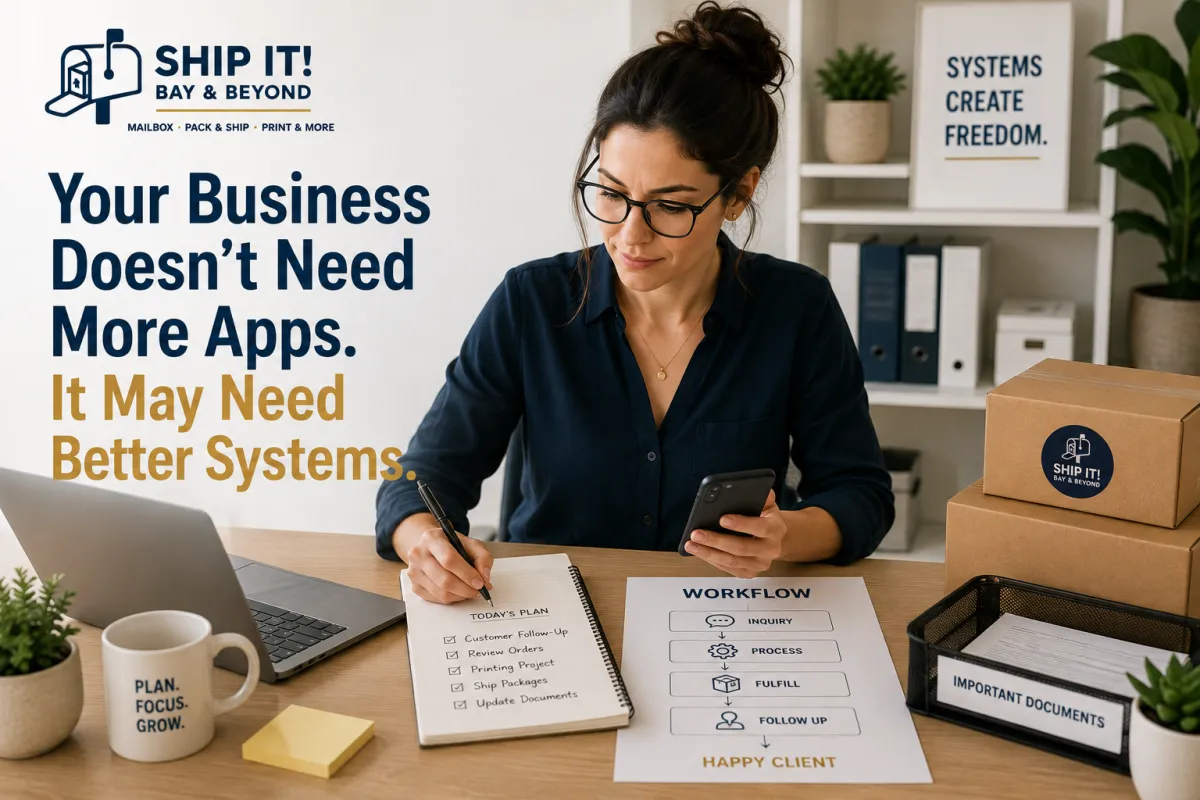
Your Business Doesn't Need More Apps. It May Need Better Systems
Your Business Doesn't Need More Apps. It May Need Better Systems.
There is an app for almost everything.
An app for scheduling.
An app for invoices.
An app for communication.
An app for project management.
An app for documents.
An app for marketing.
And yet, sometimes your business still feels disorganized.
You have more tools—but not necessarily more time.
That's because adding another app doesn't automatically solve a business problem.
Sometimes what your business really needs isn't another tool.
It needs a better system.
What's the Difference Between a Tool and a System?
A tool helps you perform a task.
A system helps you consistently manage the task from beginning to end.
For example:
An app may remind you to follow up with a customer.
A system answers:
When should the follow-up happen?
Who is responsible?
What information should be included?
What happens if the customer doesn't respond?
Where is the interaction documented?
What happens next?
The app supports the system.
The system creates the consistency.
More Technology Doesn't Always Mean More Productivity
It's easy to fall into the "one more app will fix it" trap.
You notice a problem, search for a solution, download another tool, and feel productive.
But now you have:
Another login
Another notification
Another subscription
Another dashboard
Another process to learn
Another place where information can get lost
Eventually, your technology stack becomes complicated enough that managing the tools becomes a task itself.
That's not the goal.
The goal is to make your business easier to run.
1. Start With the Problem—Not the App
Before choosing another business tool, ask:
What exactly isn't working?
Maybe:
Customer inquiries are being missed.
Important documents are difficult to find.
Packages arrive at random locations.
Employees don't know who handles certain tasks.
Printing projects are constantly rushed.
Business mail gets mixed with personal mail.
Follow-ups aren't happening consistently.
Once you identify the actual problem, you can build a process around it.
Only then should you decide whether technology is needed.
2. Create Repeatable Processes
If you perform the same task repeatedly, turn it into a process.
For example:
Customer Request → Review → Assign → Complete → Confirm → Document
Instead of figuring out what to do every time, your team follows the same basic workflow.
This creates:
Consistency
Accountability
Faster training
Fewer mistakes
Easier delegation
A simple system followed consistently can be more valuable than a sophisticated tool nobody uses correctly.
3. Reduce the Number of Places You Store Information
One of the biggest organizational problems businesses face is information scattered everywhere.
You may have information in:
Email
Text messages
Spreadsheets
Cloud drives
Notes apps
Paper folders
Project management software
Customer databases
The more places information lives, the harder it can be to find.
Whenever possible, establish a clear source of truth for important information.
Ask:
"If someone needs this information tomorrow, where should they look?"
If the answer is different every time, your system may need work.
4. Build Systems Around Your Customer
A good business system isn't only about making things easier internally.
It should also make things easier for your customers.
Think about the customer journey:
How do they contact you?
How quickly do you respond?
How do they receive information?
How do they pay?
How do they receive their order or documents?
What happens after the sale?
When these steps are clear, customers experience less friction.
And less friction often means a better customer experience.
5. Don't Automate a Broken Process
Automation can be incredibly useful.
But automation doesn't fix a bad process.
If your process is confusing manually, automating it may simply make the confusion happen faster.
Before automating, ask:
Can a new employee understand this process?
If the answer is no, simplify the process first.
Then automate the repetitive parts.
6. Create a "One Place for Everything" Mindset
Your business doesn't necessarily need one platform for absolutely everything.
But every category of information should have a clear home.
For example:
Customer information → CRM
Financial records → Accounting system
Marketing assets → Design/cloud storage
Business documents → Organized document system
Physical mail → Dedicated business mailing solution
Packages → Reliable receiving location
The goal isn't perfection.
It's predictability.
7. Don't Forget the Physical Side of Business
Digital systems get a lot of attention.
But businesses still have physical needs.
You may still need to:
Print documents
Receive packages
Ship products
Scan paperwork
Notarize documents
Shred confidential information
Produce marketing materials
Receive business mail
These tasks can become surprisingly time-consuming when they're handled separately.
That's why having reliable business services available in one place can become part of a better operational system.
How Ship It! Bay & Beyond Can Support Better Business Systems
At Ship It - Bay & Beyond, we help entrepreneurs and small businesses handle many of the physical tasks that keep business operations moving.
Instead of spending time finding different providers for every small business need, you can access multiple services in one convenient location.
Our services include:
Private Mailboxes
Create a dedicated mailing solution for personal or business correspondence, subject to applicable requirements.
Virtual Mailboxes
Flexible options for managing mail when you're not always in one location.
Package Receiving
A convenient solution for receiving eligible business packages.
Packing & Shipping
Professional packing and shipping support for business and personal shipments.
Printing & Copying
Business cards, flyers, brochures, documents, marketing materials, and other printing needs.
Document Services
Scanning, copying, and secure document shredding to help keep information organized.
Notary Services
Convenient notary solutions for eligible personal and business documents.
Fingerprinting
Fingerprinting services for eligible employment, licensing, and other requirements.
Passport Photos
Convenient professional passport photo services.
Business Formation Assistance
Support for entrepreneurs working to establish and organize their businesses.
Why Better Systems Give Business Owners More Time
A good system does something very important:
It reduces the number of decisions you have to make repeatedly.
Instead of asking:
"What do I do with this?"
You already know.
Instead of asking:
"Where is that document?"
You know where to find it.
Instead of asking:
"Who handles this?"
The process already defines responsibility.
That's how systems create leverage.
They allow the business to operate more consistently—even when the owner isn't personally handling every step.
Your Business Shouldn't Depend on Your Memory
One of the biggest warning signs of an inefficient business is when everything lives inside the owner's head.
"Just ask me."
"I know where it is."
"I'll take care of it."
That may work when you're small.
But as your business grows, it becomes a bottleneck.
Document the process.
Create checklists.
Assign responsibility.
Establish clear locations for information.
Build routines.
Your business becomes stronger when important knowledge exists outside of one person's memory.
When Should You Improve Your Business Systems?
You may need better systems if:
You're constantly putting out fires.
Employees repeatedly ask the same questions.
Customers don't receive consistent follow-ups.
Important documents are difficult to locate.
You have too many manual repetitive tasks.
You frequently miss deadlines.
You keep adding apps but still feel disorganized.
Everything seems to depend on you.
These aren't necessarily signs that you need more technology.
They may be signs that you need better processes.
A Simple Business Systems Audit
Take 30 minutes and write down the tasks you perform repeatedly.
Then ask:
What happens?
Document the current process.
Who handles it?
Identify the responsible person.
Where is the information stored?
Choose one reliable location.
What causes delays?
Identify bottlenecks.
What can be simplified?
Remove unnecessary steps.
What can be delegated?
Move tasks away from the owner when appropriate.
What can be automated?
Only automate after the process makes sense.
This simple exercise can reveal opportunities for improvement without adding another subscription.
Proudly Serving the Tampa Bay Area
Ship It - Bay & Beyond proudly supports entrepreneurs, remote professionals, home-based businesses, organizations, and small businesses throughout the Tampa Bay area, including:
St. Petersburg
Tampa
Clearwater
Largo
Pinellas Park
Seminole
Gulfport
Kenneth City
Treasure Island
St. Pete Beach
Madeira Beach
Indian Rocks Beach
Indian Shores
Redington Beach
North Redington Beach
Redington Shores
Safety Harbor
Oldsmar
Dunedin
Palm Harbor
Tarpon Springs
Belleair
Belleair Bluffs
Lealman
Pinellas County
Hillsborough County
And surrounding communities.
Whether you need business mailing solutions, private or virtual mailboxes, package receiving, professional packing and shipping, printing, copying, document scanning, secure shredding, notary services, fingerprinting, passport photos, or business formation assistance, Ship It! Bay & Beyond can help simplify the physical side of running your business.
The Bottom Line
Your business doesn't necessarily need more apps.
It may need fewer tools, clearer processes, better organization, and systems that people can actually follow.
Technology should support your business—not become another business for you to manage.
Start by identifying what's creating friction.
Then simplify it.
Document it.
Assign it.
Automate what makes sense.
And build a system that allows your business to keep moving even when you're not personally handling every detail.
Because the goal isn't to have more technology.
The goal is to have a business that works better.
At Ship It - Bay & Beyond, we're here to support the physical side of that system—helping you manage mail, packages, printing, documents, shipping, and other everyday business needs from one convenient location.
Business Boost Question
What's one business task you wish worked more smoothly?
Mail & packages
Printing
Document organization
Shipping
Time management
Digital systems
Customer follow-up
Tell us in the comments!
Frequently Asked Questions
What is a business system?
A business system is a repeatable process that explains how a task or function should be handled. It can include people, procedures, technology, documentation, and defined responsibilities.
Do small businesses really need systems?
Yes. Even a one-person business benefits from repeatable processes. Systems can help reduce mistakes, save time, improve consistency, and make it easier to delegate as the business grows.
Should I automate everything in my business?
No. Automation works best for appropriate repetitive tasks. Start by creating a clear, efficient process and then determine which parts can benefit from automation.
How can I simplify my business operations?
Start by identifying repetitive tasks, documenting how they are completed, eliminating unnecessary steps, assigning clear responsibilities, and creating a consistent place for important information.
How can Ship It! Bay & Beyond help my business?
Ship It! Bay & Beyond provides multiple business support services—including private and virtual mailboxes, package receiving, packing and shipping, printing, document services, notary, fingerprinting, passport photos, and business formation assistance—helping businesses manage many physical and administrative needs in one convenient location.
